The Best Free Video Editing Software in 2026
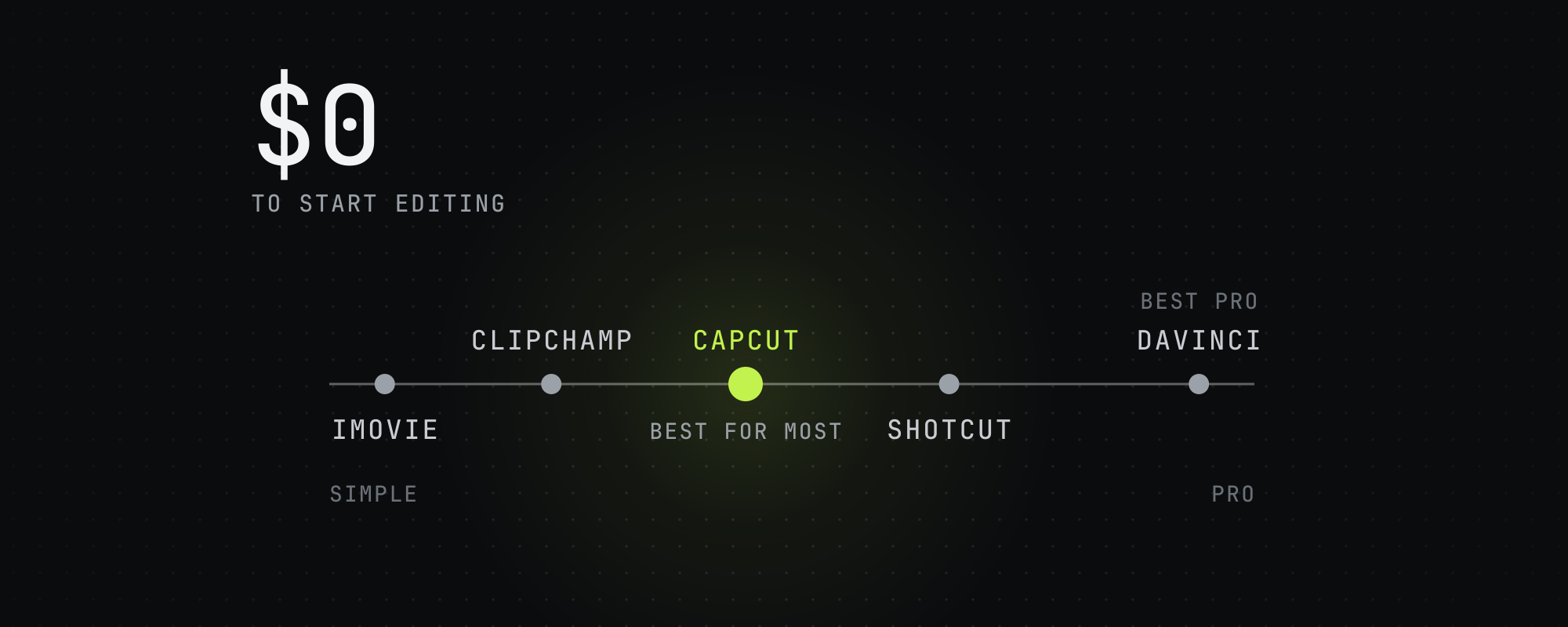
CapCut is the best free editor for most people in 2026 — full timeline, AI features, cross-platform. DaVinci Resolve is the best free professional editor. For AI clipping specifically, OpusClip and Vizard have genuinely useful free tiers. iMovie, Shotcut, and Clipchamp cover the rest of the spectrum.
"Free" means different things in video editing software in 2026. Some tools (CapCut, DaVinci Resolve, iMovie) are fully free with no functional restrictions. Others (OpusClip, Vizard, Clipchamp) are freemium — usable for most workflows but capped on export resolution, watermarks, or monthly minutes. Picking the right free tool depends on what you actually want to do, not on which tool has the loudest free tier marketing.
This is our working comparison as of October 2026.
Quick comparison: free video editing software
| Tool | Truly free? | Best for | Watch out for |
|---|---|---|---|
| CapCut | Yes | Most users, mobile + desktop | Owned by ByteDance. A template's ending clip or a premium asset can add a watermark |
| DaVinci Resolve | Yes (free version) | Professional editors, color work | Steep learning curve. Studio version is paid |
| iMovie | Yes (Apple-only) | macOS / iOS quick edits | Mac/iOS only. Limited compared to CapCut |
| Shotcut | Yes (open source) | Privacy-focused, Linux users | Older UI. Fewer AI tools, though it turns speech into subtitles |
| OpenShot | Yes (open source) | Simple linear projects | Less stable than Shotcut |
| Clipchamp | Yes (Microsoft) | Windows users, web-based quick edits | Free exports have no watermark and stop at 1080p |
| OpusClip Free | Freemium | AI clipping (60 min/mo) | Watermark on free exports, 1080p cap |
| Vizard Free | Freemium | AI clipping (60 min/mo) | Watermark, 720p exports, 3-day storage |
| VEED.io Free | Freemium | Browser-based quick edits | Watermarked, 720p, exports up to 10 minutes |
CapCut: the best free editor for most people
CapCut is owned by ByteDance and remains the dominant free editor in 2026. Mobile, desktop, and browser versions all share the same project files. The free plan is genuinely usable: CapCut's pricing page lists free templates and basic editing tools, its auto caption generator is free, and CapCut says exports carry no watermark unless a template's ending clip or a premium asset adds one.
What CapCut is great at: vertical short-form editing for TikTok, Reels, and Shorts. The defaults are tuned for short-form. Animated captions are clean. Effects library is broad. The mobile app is genuinely competitive with desktop tools.
Instagram's head, Adam Mosseri, said in October 2024 that Instagram tries not to recommend Reels with logos from other apps. Before you export from CapCut, delete the ending clip with the CapCut logo and swap out any premium asset that adds a watermark.
DaVinci Resolve: the best free professional editor
DaVinci Resolve's free version is the most capable free editor on the planet. It is a professional-grade NLE used in film and broadcast color work. Full multi-track editing, Fusion for VFX, Fairlight for audio, and a color grading panel that has no real free competition.
The trade-off is the learning curve. DaVinci Resolve is overkill for TikTok edits and the UI assumes you understand timeline-based editing already. If you are coming from no background and want to ship a clip in 15 minutes, CapCut is the right pick. If you want a tool you can grow into for years and never outgrow, DaVinci Resolve free is unmatched.
iMovie: the macOS default
iMovie ships free with macOS and iOS. It is simple, stable, and produces clean output. For Apple users making weekend home videos, family edits, or quick social posts, iMovie is fine. For short-form video distribution at any scale, CapCut is better, since its defaults are tuned for short-form.
Shotcut and OpenShot: the open-source options
Shotcut and OpenShot are both free, open source, and cross-platform (Windows, Mac, Linux). Shotcut is the more stable of the two and has a more capable feature set. Neither has CapCut's modern UI or its range of AI tools, though Shotcut can turn speech into subtitles. Both have one structural advantage: no proprietary data collection. If you have a privacy concern about ByteDance ownership of CapCut or Microsoft ownership of Clipchamp, Shotcut is the cleanest free option.
Clipchamp: the Windows default
Clipchamp comes preinstalled on Windows 11 and also runs in the browser. Its free plan exports up to 1080p with no watermark and includes AI tools like subtitles, voiceovers and silence removal. 4K exports, premium stock and the brand kit come with a Microsoft 365 Personal or Family plan. It suits Windows users who want a simple editor without installing CapCut, and for most workflows CapCut does more.
Free AI video editors and clippers
The category of "AI video editing" is somewhat different from general video editing. AI tools focus on automatic moment selection, transcription-driven editing, and reframing — not the manual timeline work. Free tiers exist but are more restricted than the general editors.
- OpusClip Free: 60 minutes of source video per month, watermarked output, up to 1080p, and clips stop being exportable after 3 days. Usable for testing the workflow before paying.
- Vizard Free: 60 minutes of video per month, exported at 720p with a watermark, and clips are stored for 3 days.
- Klap: no free plan on its pricing page, and its MCP page mentions a free trial. Paid plans start at $29 a month for 100 clips.
- Submagic's free trial: 3 short videos, watermarked until you subscribe.
- VEED.io Free: browser-based, watermarked, 720p exports up to 10 minutes long, and 10 minutes of auto subtitles a month.
For full comparisons of the AI clipping category — paid and free — see The Best AI Video Clipping Tools in 2026 and OpusClip vs Submagic vs Vizard vs Klap.
What to actually pick
- Most beginners on any platform: CapCut. Free, capable, dominant in short-form.
- Professional ambitions, willing to learn: DaVinci Resolve free.
- macOS user, simple needs: iMovie.
- Privacy-conscious or Linux user: Shotcut.
- Just need a Windows quick-edit: Clipchamp.
- AI-driven clipping workflow (paste a long video, get short clips out): OpusClip Free or Vizard Free tier.
Free vs paid: when to upgrade
Most creators ship for months on free tools before paying. The signals that justify upgrading:
- You're hitting a monthly cap, like the 60 minutes a month on OpusClip's and Vizard's free plans, or VEED's 10 minutes of auto subtitles.
- Watermark removal is required by a campaign brief.
- You need 4K export. Clipchamp's free plan stops at 1080p and VEED's at 720p.
- You need more API access than a free plan gives. Vizard's free plan allows 10 API requests an hour.
- You need team collaboration features.
For the broader AI clipping decision tree — including which paid tool to pick when you do upgrade — see The Best AI Video Clipping Tools in 2026. For a beginner-friendly walkthrough of starting out, see Best Video Editing Software for Beginners.
Frequently asked questions
What is the best free video editing software in 2026?
CapCut for most people — free, full-featured, dominant in short-form video, available on mobile and desktop. DaVinci Resolve free is the best for serious editors who want professional capabilities. iMovie is fine for macOS-only quick edits. For AI-powered clipping specifically, OpusClip and Vizard have usable free tiers.
Is CapCut completely free?
Yes for the basic editor. CapCut's pricing page lists a free plan with free templates and basic editing tools, and a Pro plan that adds AI credits, premium templates and features, and 1 TB of storage. Most short-form workflows don't need Pro. CapCut is owned by ByteDance (TikTok parent company).
What is the best free video editor with no watermark?
CapCut, Clipchamp, DaVinci Resolve free, iMovie, Shotcut, and OpenShot all export without watermarks on free tiers. In CapCut, delete the ending clip and skip premium assets, and Clipchamp's free exports stop at 1080p. The free plans of AI clipping tools like OpusClip and Vizard add a watermark until you upgrade, and Klap has no free plan.
Can I edit videos for free without downloading software?
Yes. Clipchamp (Microsoft), VEED.io, and CapCut's web version all run in the browser without installation. Free plans differ: Clipchamp exports up to 1080p with no watermark, and VEED watermarks free exports at 720p.
What is the best free AI video editor?
For AI clipping, OpusClip's free plan gives 60 minutes a month at up to 1080p, watermarked. Vizard's gives 60 minutes a month at 720p, and its shared team workspace is on the Business plan at $39 a month. For AI features without a watermark, CapCut's free editor includes auto captions.
Sources
Every figure above traces to one of these. Where a source sells the thing it measured, we say so.
- 01OpusClip pricing · OpusClip, read October 15, 2026
- 02Vizard pricing · Vizard, read October 15, 2026
- 03Klap pricing · Klap, read October 15, 2026
- 04Klap MCP server · Klap, read October 15, 2026Mentions Klap's free trial.
- 05Does Submagic have a free trial · Submagic help center, read October 15, 2026
- 06Auto caption generator · CapCut, read October 15, 2026
- 07CapCut pricing · CapCut, read October 15, 2026
- 08Is it possible to export videos from CapCut without a watermark? · CapCut help center, read October 15, 2026
- 09Microsoft Clipchamp pricing · Microsoft Clipchamp, read October 15, 2026
- 10Create films with a video editor · Microsoft Support, read October 15, 2026Says Clipchamp comes preinstalled on Windows 11.
- 11VEED pricing · VEED, read October 15, 2026The free plan's limits are in the full feature table.
- 12Features · Shotcut, read October 15, 2026
- 13Instagram Says Including Your Own Logo on a Reel Is Fine · Social Media Today, October 23, 2024Quotes Adam Mosseri, Instagram's head, from his own Instagram post.
Keep reading
Highstyle vs CapCut (2026): Is Paid Clipping Worth It?
CapCut is a free editor with an AI clip maker, and Highstyle is a paid clipper that reads YouTube's replay graph and comments. Checked October 15, 2026.
The Best Video Editing Software for Beginners in 2026
What video editing software actually works for beginners in 2026: CapCut, iMovie, OpusClip, and the AI tools that let you skip the timeline entirely.
The Best AI Video Clipping Tools in 2026
Nine AI clipping tools compared on price, limits and how each picks moments, from OpusClip and Vizard to Reap, Klap and Submagic. Checked October 15, 2026.
OpusClip vs Submagic vs Vizard vs Klap: Head-to-Head Comparison
OpusClip, Submagic, Vizard and Klap compared on price, limits, API access and how each picks clips, from each vendor's own pages on October 15, 2026.