How to Turn a Podcast Episode Into Clips for Shorts, Reels and TikTok
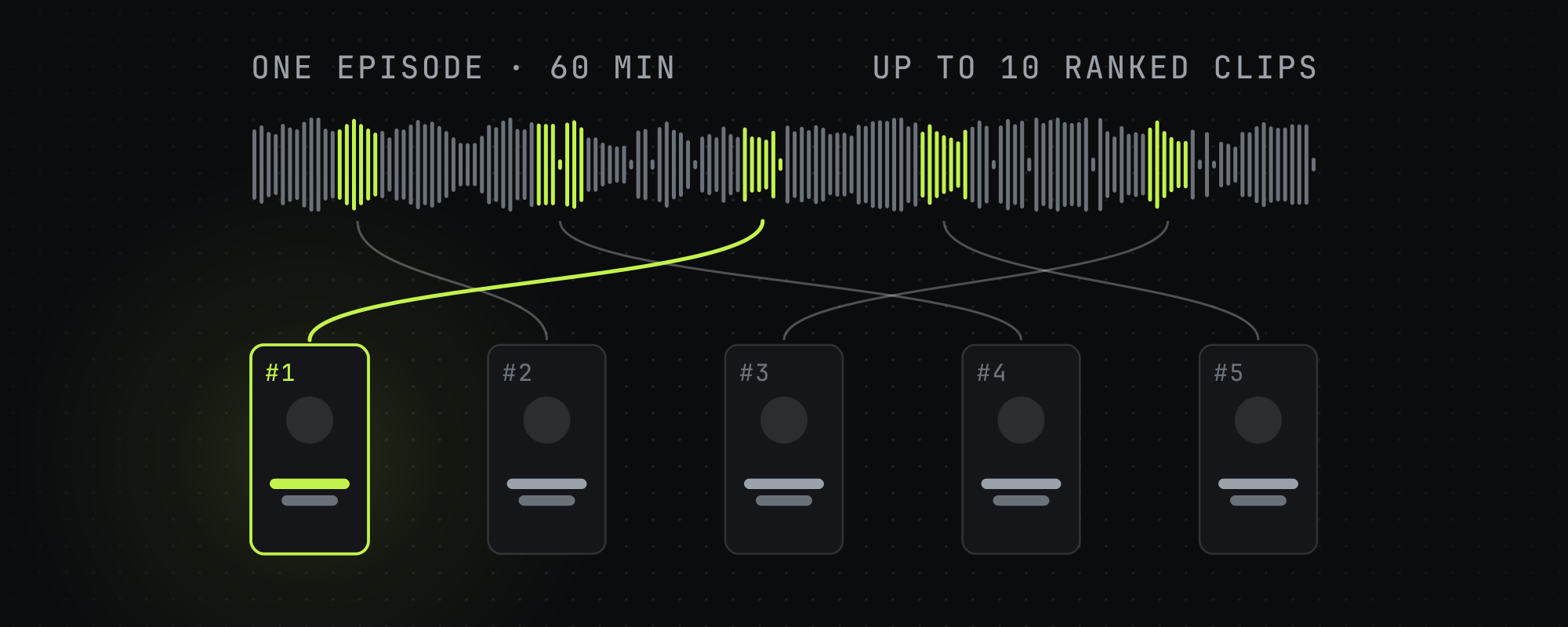
Paste the episode's YouTube link or upload the video file, and Highstyle returns up to 10 ranked, captioned 9:16 clips to download and post. A weekly one-hour show fits Pro at $49 a month.
To turn a podcast episode into clips for Shorts, Reels and TikTok, paste the episode's YouTube link into Highstyle, or upload the video file, and download the clips that come back. Each episode returns up to 10 captioned 9:16 clips, ranked best first, and a run usually takes about 7 minutes, longer for a long episode.
Highstyle clips video files, so an audio-only show needs a video version of each episode. You download the clips and post them yourself.
From episode to clips, step by step
- Open Clip Studio, where you start a run. Paste the episode's public YouTube link, or upload the video file. Uploads take MP4, MOV, WebM, MKV and M4V files up to 10 GB, and a video has to run at least a minute.
- Pick a goal. Most views makes 15 to 35 second clips for the feed, and Creator Rewards makes clips of 70 to 180 seconds, the length TikTok's Creator Rewards program pays on. Best clip length for TikTok, Reels and Shorts compares the lengths each platform rewards.
- Check the framing. Auto picks a layout for each clip from the faces it finds. On a two-host show you can choose Split, which stacks both speakers, or Track, which follows the speaker's face.
- Run it. Highstyle transcribes the episode, picks the moments, trims filler and long pauses, and burns in captions. On a YouTube link it also reads the most-replayed graph and the timestamped comments, and an older episode with views gives it more to work from than a new one. You can close the tab, and Highstyle emails you when the clips are ready.
- Review the clips in rank order, starting with #1. Each has a score from 1 to 10, a title and a cover image.
- Download the clips you want and post them to Shorts, Reels and TikTok yourself. A clip cut from a YouTube link ends on a one-second Watch the Full Video card that points to your episode. You can turn it off in the End card row.
What comes back
- Up to 10 clips per episode, ranked best first.
- 9:16 MP4 files with captions burned in. TikTok's own caption look is the default.
- Filler words and long pauses trimmed at the default pace. Breathe keeps the speakers' own rhythm and Tight removes every gap, and how to edit podcast clips explains jump cuts, pacing and filler.
- A title and a cover image for each clip, and a title card over the opening on the default caption style.
- A music bed under the speech, on by default, from a royalty-free library. You can turn it off in the Sound row.
- Titles and hook cards in the episode's language by default, and captions in whatever language is spoken.
Which plan fits a podcast
Minutes count the length of the video you clip, so a one-hour episode uses about 60 minutes. Every new account starts with 60 free minutes and needs no card, which is enough for one episode of up to an hour. Clips from free runs carry a small Highstyle watermark, and paid plans export without it.
| Plan | Price | Source video a month | Videos at once |
|---|---|---|---|
| Free | $0 | 60 minutes, once, at signup | 2 |
| Starter | $19 a month, or $159 a year | 150 minutes (2.5 hours) | 3 |
| Pro | $49 a month, or $409 a year | 500 minutes (over 8 hours) | 5 |
| Operator | $199 a month, or $1,669 a year | 2,500 minutes (over 41 hours) | 10 |
Videos at once is how many runs a plan can have in progress. At the limit, Highstyle refuses a new run until one finishes.
- Starter fits two one-hour episodes a month, or a weekly half-hour show.
- Pro fits a weekly one-hour show, which is 4 or 5 episodes and 240 to 300 minutes a month, with room for a few back-catalog episodes.
- Operator fits a network or a daily one-hour show, which is about 1,800 minutes a month.
Each month's minutes stay spendable for 60 days. Annual billing costs about 30% less. See every plan on the pricing page.
Try it on one episode
A free account is enough to run one episode and see the clips before you pay. Start with 60 free minutes.
Frequently asked questions
Can I upload an audio-only podcast?
No. Highstyle clips video, and uploads take MP4, MOV, WebM, MKV and M4V files. An audio-only show needs a video version of each episode, such as a recording of the session.
How long can an episode be?
Uploads can be up to 10 GB, which is roughly a three-hour 1080p recording, and a video has to run at least a minute. The sample clips shown in Clip Studio came from sources between 25 minutes and almost two and a half hours long. Longer videos take longer to process.
How does Highstyle choose the moments?
It reads the transcript and rates each moment from 1 to 10. On a YouTube link it also reads the most-replayed graph and timestamped comments when they exist, so older episodes with views give it more to work from. The score orders the clips and doesn't predict views, so watch the top clips before you post them. How to find viral moments in long videos explains what to look for yourself.
Can I put my show's name on the clips?
Yes. Type your show's name or handle into the Brand row. On a paid plan Highstyle burns it small onto every clip, and on the free plan it goes on the best clip of each batch in place of the Highstyle watermark.
Does Highstyle post the clips for me?
No. You download each clip and post it to Shorts, Reels or TikTok yourself.
Does it work on podcasts in languages other than English?
Captions are the transcript, in whatever language the episode is spoken in. Titles and hook cards follow that language by default, and you can pick any of 20 languages for them. Check the captions before you post, as you would with any transcript.
Keep reading
How to Edit Podcast Clips That Hold Attention (Jump Cuts, Pacing, Filler)
How to turn long podcast footage into tight vertical clips: jump cuts, filler removal, silence trimming, pacing, reframing, and motion that holds retention.
How to Find Viral Moments in Long Videos and Podcasts
How to identify the moments in a long video worth clipping: the share test, the content types that travel, and why moment selection beats editing for going viral.
Best Clip Length for TikTok, Reels, and Shorts in 2026
The algorithm-optimized clip lengths for TikTok, Instagram Reels, and YouTube Shorts in 2026 — and why completion rate, not duration, is what you're really optimizing.
How to Caption Short-Form Videos for TikTok, Reels, and Shorts (2026)
A practical guide to captioning short-form videos: font, size, placement, word grouping, color emphasis, and the sync rules that lift retention in 2026.