Highstyle vs CapCut (2026): Is Paid Clipping Worth It?
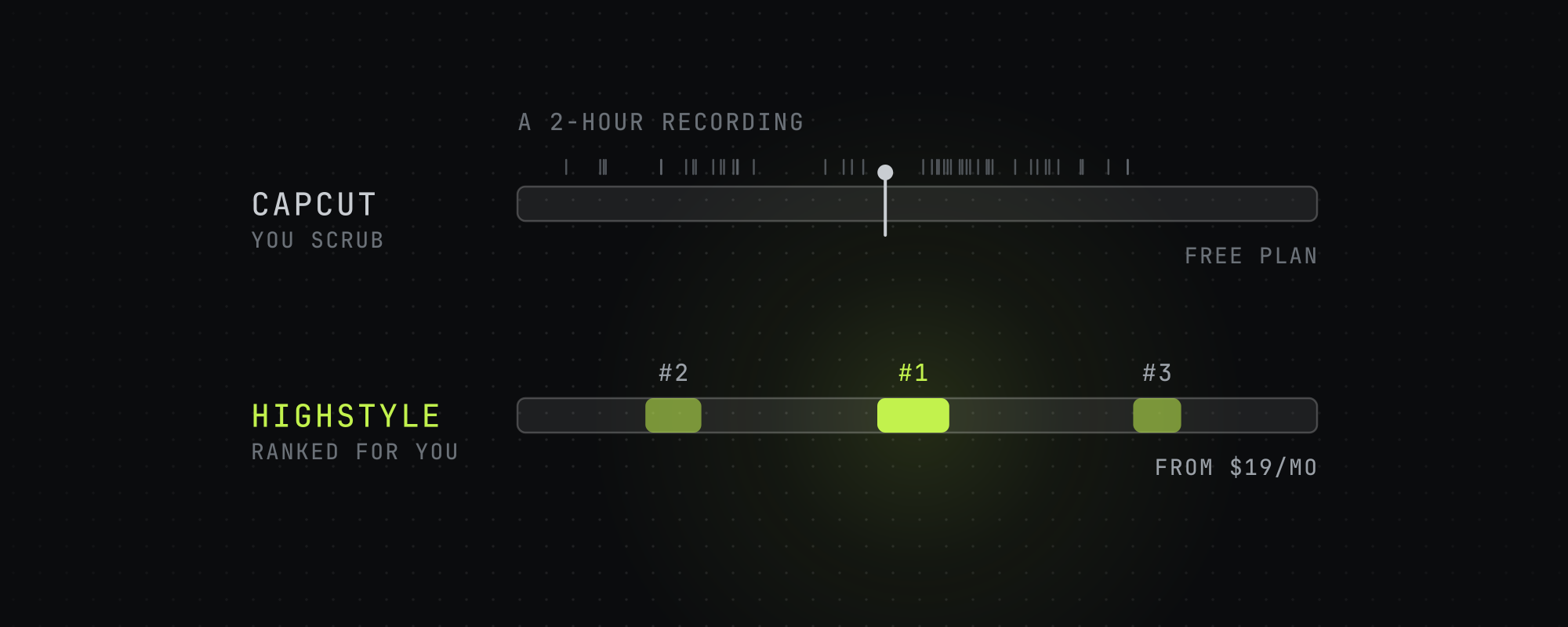
Pick CapCut to edit by hand for free: it's a full editor, and its AI Clip Maker cuts a long video into shorts from highlights it finds in the speech. Pick Highstyle when choosing the moments is what takes your time: it returns clips ranked best first, reads YouTube's most-replayed graph and timestamped comments on a YouTube link, and costs $19, $49 or $199 a month for 150, 500 or 2,500 minutes of video.
CapCut and Highstyle both turn long videos into vertical clips, but they start from different ends. CapCut is a full video editor with an AI clip maker built in. Highstyle has no editor: you give it a long video and it hands back finished clips, ranked best first, so the choice comes down to whether you want to do the editing yourself.
We read CapCut's pricing page, its clip maker and caption pages and its terms of service on October 15, 2026, and each CapCut figure below links to its page. Highstyle is our product, so its column sticks to what our pricing page, API docs and terms say.
Side-by-side at a glance
| Highstyle | CapCut | |
|---|---|---|
| What it is | A clipper: a long video in, finished clips out | A full video editor with an AI Clip Maker for long videos |
| Who picks the moments | Highstyle, from the transcript plus YouTube's most-replayed graph and timestamped comments | You, or the clip maker's AI Highlights, which finds key moments from speech patterns |
| What comes back | Up to 10 captioned 9:16 clips, ranked best first, each with a score, a title and a cover | Clips you preview, edit and export one at a time |
| Editing by hand | None. Clips come back finished | A full editor on desktop, in the browser and on mobile |
| Vertical framing | A layout per clip, chosen from face detection and lip motion | Smart cropping from 16:9 to 9:16 with subject tracking |
| Captions | Burned in, 18 styles, placed clear of faces | Auto captions that you can edit before export |
| Free plan | 60 minutes once, at signup, watermarked, no card | A free plan with basic editing tools and free templates |
| Paid plans | $19, $49 or $199 a month for 150, 500 or 2,500 minutes of video | Pro, Ultra and Teams, priced in your local currency. From Canada, Pro showed CAD 33.99 a month |
| Licence you grant | Limited to running the service, and it ends when you delete the content | Perpetual, worldwide, transferable and sub-licensable |
| API | REST API and MCP server on every paid plan | None listed on its pricing page |
CapCut's figures are from its own pages on October 15, 2026. CapCut shows prices in the visitor's currency and says they're for reference until you sign in, and the CAD prices are what it showed us from Canada.
What CapCut does better
Highstyle has no timeline, so any edit by hand belongs in CapCut: moving a cut by a few frames, masking a logo, building a transition or dropping a clip into a trending template.
CapCut also starts free: its pricing page lists a free plan with basic editing tools and free templates, and its AI Clip Maker page says the clip maker is free and its clips come without watermarks. It runs on desktop, in the browser and on mobile, so you can do the whole job from your phone.
If you post a few clips a week and you like editing, CapCut is the right pick. Paying for Highstyle makes sense when choosing the moments is what eats your week.
CapCut's AI Clip Maker
CapCut's own tool for long videos is the AI Clip Maker. You upload a video, and a setting called AI Highlights finds key moments from speech patterns. It crops 16:9 to 9:16 with subject tracking and adds captions, and you preview and edit each clip before you export it.
That's the job Highstyle does, run from inside an editor. CapCut's page says the highlights come from speech patterns and says nothing about viewer data, which is the input Highstyle adds.
Highstyle picks moments from how viewers reacted
Paste a YouTube link or upload a file, and Highstyle transcribes the video, picks the moments, trims filler and long pauses, reframes to 9:16 and burns in captions. You get up to 10 clips ranked best first, each with a score from 1 to 10, a title and a cover image.
On a YouTube link it also reads the most-replayed graph and the timestamped comments under the video. Where several viewers rewound or commented on the same stretch, that stretch gets its own pass through the model, and a clip picked that way opens to show the comments that flagged it.
We measured how far to trust comments in July 2026. A timestamp that one person mentions lands at a median replay percentile of 54, which is chance, so a lone mention moves nothing. A stretch counts when its comments draw likes and several commenters agree, and most of all when the replay graph points at the same moment.
A video uploaded this morning has no replay graph or comments yet, so this adds nothing there, and it helps most on older videos.
The licence you grant
Every cloud video tool needs a licence to your uploads, since it can't process a file it has no right to touch. What differs is how far the licence goes and how long it lasts.
CapCut's terms of service, last updated April 15, 2026, are an agreement with Bytedance Pte. Ltd. They say CapCut doesn't own your content, and they take a non-exclusive, royalty-free, transferable, sub-licensable, perpetual and worldwide licence to it.
Our terms also take a worldwide, sublicensable licence, because sending your video through a transcription model and a render container needs one. Ours is limited to providing the service, passing content to the processors that deliver it, operating and securing the service, and meeting legal duties. It ends when you delete the content, and we don't train generative models on your content unless you opt in.
This rarely matters to a creator clipping their own podcast, but for an agency uploading a client's unreleased footage it can decide a procurement review. Read both documents yourself, ours included, since neither summary is legal advice.
What each costs
CapCut's pricing page lists four plans: Free, Pro, Ultra and Teams. It shows prices in your local currency and says the price shown is for reference, and you see the final price after you sign in. From Canada on October 15, 2026 it showed Pro at CAD 33.99 a month or CAD 290 a year, Ultra at CAD 109.99 a month and Teams at CAD 17.50 a month per seat. Pro includes 700 AI credits a month.
Highstyle's plans cost $19, $49 or $199 a month for 150, 500 or 2,500 minutes of source video, or $159, $409 or $1,669 a year. The free plan is 60 minutes once, at signup, with a watermark. The pricing page has the detail.
The two price lists don't line up, because CapCut prices an editor and Highstyle prices minutes of clipping. Weigh the hours you spend picking moments by hand against what a plan costs.
Which one to pick
- You post a few clips a week and enjoy editing: CapCut, on its free plan.
- You want frame-level control, custom transitions or heavy graphics: CapCut. Highstyle has no timeline.
- You're clipping a back catalogue of YouTube videos, or posting daily across accounts: Highstyle, which picks and ranks the moments for you.
- You clip client footage for an agency or a brand: Highstyle, for the narrower licence. Read both sets of terms first.
- You clip for brand campaigns that ban animated captions: Highstyle's Campaign-safe goal, which uses plain captions with no effects.
- You want to run clipping from Claude or your own code: Highstyle, whose API and MCP server come with every paid plan.
Running both
Plenty of people should. Let Highstyle find, cut and rank the moments, then pull the two or three clips a week that deserve hand-finishing into CapCut. The scores tell you which ones those are. If you're weighing more clippers, the Opus Clip alternatives roundup compares five of them on price and limits.
Frequently asked questions
Is CapCut good for clipping long videos?
For a few clips a week, yes. Its AI Clip Maker finds highlights from speech patterns, crops to 9:16 and adds captions, and you edit each clip before export. Highstyle also reads how viewers reacted on YouTube, which helps most on older videos with a replay graph and comments.
Is a paid clipping tool worth it when CapCut is free?
It depends on whether editing or choosing moments takes your time. CapCut's free plan covers editing. Highstyle's plans start at $19 a month for 150 minutes, and what you pay for is the choice of moments: clips ranked best first, picked with help from YouTube's replay graph and comments.
What is the best CapCut alternative for turning podcasts into clips?
For spoken long videos on YouTube, Highstyle, because it reads the replay graph and timestamped comments before it picks moments. For footage with little talking, OpusClip's ClipAnything uses visual, audio and sentiment cues. CapCut is the one to keep for editing by hand.
Does CapCut own the videos I upload?
No. CapCut's terms say it doesn't own your content, but they take a perpetual, worldwide, transferable and sub-licensable licence to it. Highstyle's licence is limited to running the service and ends when you delete the content. Neither summary is legal advice, so read both documents.
Does CapCut have an API?
CapCut's pricing page lists no API on any plan. Highstyle's REST API and MCP server come with every paid plan, so you can send videos and fetch clips from your own code or from Claude.
How much does CapCut Pro cost?
It depends on where you are. CapCut's pricing page shows your local currency and says the price is for reference until you sign in. From Canada on October 15, 2026 it showed Pro at CAD 33.99 a month or CAD 290 a year.
Sources
Every figure above traces to one of these. Where a source sells the thing it measured, we say so.
- 01CapCut pricing · CapCut, read October 15, 2026Plans and prices, shown in the visitor's currency. We read it from Canada.
- 02Long video to shorts (AI Clip Maker) · CapCut, read October 15, 2026How the clip maker finds highlights, and CapCut's own free and no-watermark claims.
- 03Auto caption generator · CapCut, read October 15, 2026
- 04CapCut terms of service · CapCut, read October 15, 2026Last updated April 15, 2026. Includes the licence you grant over your uploads.
- 05ClipAnything · OpusClip, read October 15, 2026
- 06Highstyle pricing · HighstyleOur own pricing page. The figures here come from the same code.
- 07Highstyle terms of service · HighstyleOur own terms.
Keep reading
Opus Clip Alternatives in 2026: 5 AI Clippers Compared on Price and Limits
Five Opus Clip alternatives checked on October 15, 2026: Vizard, Reap, Klap, Submagic and Highstyle, compared on price, minutes, Twitch links and API access.
Highstyle vs Descript (2026): Which Is Better for Clips?
Descript is a full editor whose Underlord AI also cuts clips. Highstyle turns a long video into ranked clips. Prices and limits checked October 15, 2026.
The Best Free Video Editing Software in 2026
Honest comparison of the best free video editing software in 2026 — CapCut, DaVinci Resolve, iMovie, Shotcut, Clipchamp, and the AI-powered free tiers.
Highstyle vs OpusClip (2026): Which Picks Better Moments?
OpusClip clips almost any footage and starts at $15 a month. Highstyle reads YouTube's replay graph and comments to pick moments. Checked October 15, 2026.