Highstyle vs OpusClip (2026): Which Picks Better Moments?
Pick OpusClip for footage with little talking, like sports or gameplay: its ClipAnything model reads visual, audio and sentiment cues, and its plans start at $15 a month. Pick Highstyle for podcasts, interviews and other talk on YouTube: it reads the most-replayed graph and timestamped comments to choose moments, and a clip picked that way shows the comments behind it. Both include an API and an MCP server, OpusClip from its $29 Pro plan and Highstyle from $19 a month.
OpusClip and Highstyle do the same job: a long video goes in, and short vertical clips with captions come out, ranked best first. They differ in what each one reads before it picks a moment and in what it does once the clips exist.
We read OpusClip's pricing page and help center on October 15, 2026, and each OpusClip figure below links to the page it came from. Highstyle is our product, so its column sticks to what our pricing page and API docs say.
Side-by-side at a glance
| Highstyle | OpusClip | |
|---|---|---|
| Best fit | People talking: podcasts, interviews, webinars and commentary | Almost any video, including footage with little or no dialogue |
| Picks moments from | The transcript, YouTube's most-replayed graph and timestamped comments | Visual, audio and sentiment cues, plus a typed prompt on Pro |
| Ranking | A score from 1 to 10 per clip | A virality score from 0 to 99, on paid plans |
| Clips per video | Up to 10, or 1 to 50 through the API | 23 to 32 for a 30 to 60 minute video |
| Free plan | First video free: 60 minutes once at signup, watermarked, no card | 60 minutes a month, watermarked, no editing, exportable for 3 days |
| Entry plan | $19 a month for 150 minutes | $15 a month for 150 minutes, billed monthly only |
| Next plan up | $49 a month for 500 minutes | $29 a month for 300 minutes, or $14.50 a month billed yearly |
| Longest source | 12 hours on paid plans, 4 on free | 10 hours |
| File uploads | Up to 10 GB | Up to 10 GB, or 30 GB on Pro |
| Links it takes | YouTube | YouTube on every plan, plus Twitch, Kick, Zoom, Riverside and more |
| Aspect ratios | 9:16 | 9:16, plus 1:1 and 16:9 on Pro |
| Posting | You download the clips and post them | Posts to YouTube Shorts, TikTok and Instagram from Starter, with a scheduler on Pro |
| API and MCP | Every paid plan | Pro, as a beta, and Business |
OpusClip's figures are from its pricing page and help center on October 15, 2026. Both tools count minutes of source video, since a credit on OpusClip is one minute.
What OpusClip does better
OpusClip's ClipAnything reads visual, audio and sentiment cues, so it can clip video with little or no dialogue, such as a match or a quiet gameplay stream. On Pro you can also type what you want, such as one player's goals or a song's chorus, and it looks for those moments. OpusClip's free plan clips by spoken words only, and its compare table adds clipping by visual objects, sound and emotion from Starter up.
- Plans start at $15 a month for 150 minutes, against $19 for 150 on Highstyle.
- It takes more kinds of links: Starter imports from YouTube, Google Drive, Vimeo, Zoom, Rumble and StreamYard, and Pro adds Twitch, Dropbox, Riverside and nine more.
- Starter posts to YouTube Shorts, TikTok and Instagram, and Pro adds a scheduler, 6 social account connections and a team workspace with 2 seats.
- Pro also exports 1:1 and 16:9 and adds AI video B-roll, dubbing, moving object tracking and export to Premiere Pro and DaVinci Resolve.
- The same company sells Agent Opus, which generates whole videos from your scripts, voice and brand assets.
If most of your footage has little talking, like gameplay without commentary, use OpusClip. Highstyle picks moments from what's said and from how YouTube viewers reacted, and a silent highlight has neither.
Highstyle reads what viewers did with the video
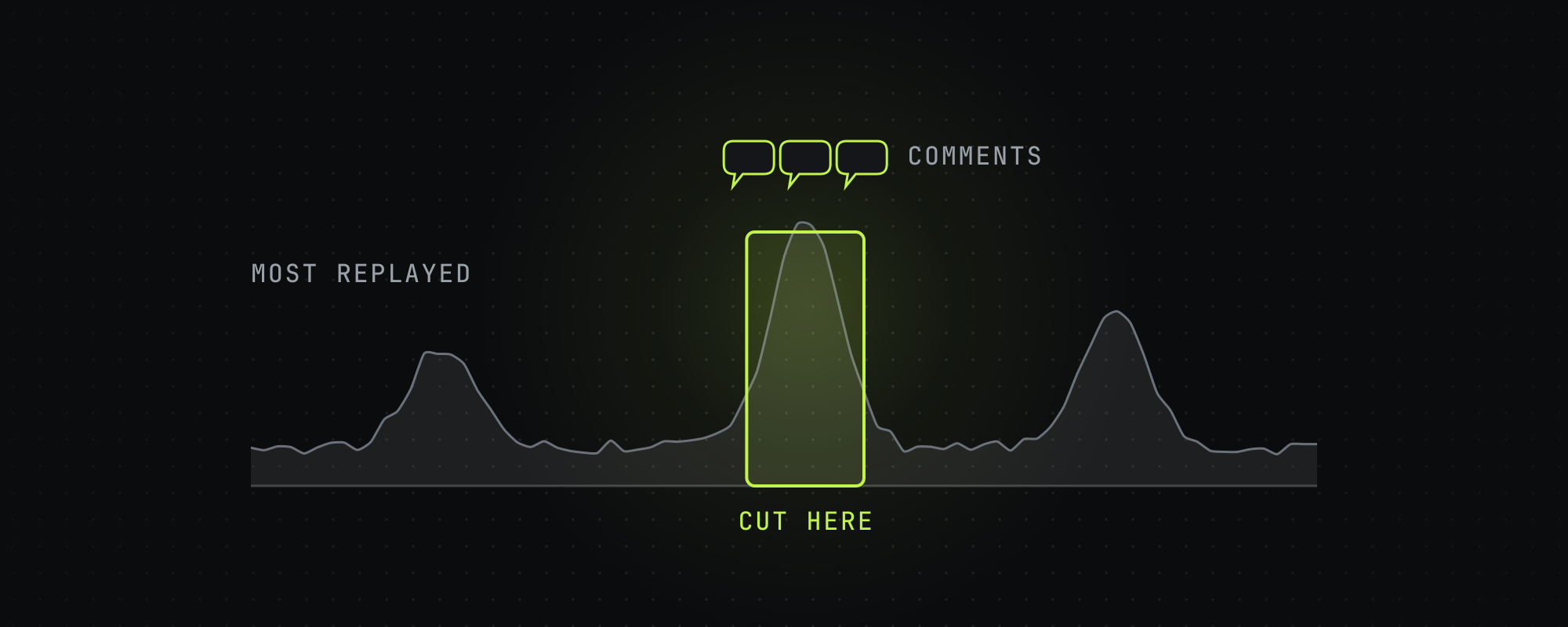
On a YouTube link, Highstyle reads the transcript, the most-replayed graph and the timestamped comments under the video. Where several viewers rewound or commented on the same stretch, that stretch gets its own pass through the model, and a clip picked that way opens to show the comments that flagged it. OpusClip's help center says its virality score weighs each clip's hook, flow, value and trend, and it doesn't mention replay or comment data.

Highstyle gives a lone timestamped comment little weight. Across 88 of them on one 159-minute episode, we found the average sat at the 54th percentile of the replay curve, which is where chance would put it. Several viewers landing on the same moment counts for a lot more, and so does the replay curve agreeing with the comments.
A video posted today has no replays or comments yet, so on new uploads Highstyle reads the transcript alone. Older episodes in a back catalog carry the most signal.
What each one hands back
Highstyle returns up to 10 captioned 9:16 clips per video, ranked best first, each with a score from 1 to 10, a title and a cover image. Each run follows a goal. Most views makes 15 to 35 second clips, Creator Rewards makes 70 to 180 second clips for TikTok's paid program, and Campaign-safe uses plain captions with no effects for brand campaigns that ban animated ones. There are 18 caption styles, and TikTok's own look is the default.
OpusClip returns more clips: its help center lists 23 to 32 for a 30 to 60 minute video, and its pricing page offers clip lengths up to 15 minutes. Paid plans sort the clips by virality score and open them in an editor with brand templates and AI B-roll.
What each one costs
OpusClip's Starter plan is $15 a month for 150 minutes, billed monthly only. Pro is $29 a month for 300 minutes, or $14.50 a month billed at $174 a year, and Business is priced by quote. A credit is one minute of source video, so the two tools count usage the same way. Highstyle's plans cost $19, $49 or $199 a month for 150, 500 or 2,500 minutes.
| Plan | Monthly price | Per hour of video |
|---|---|---|
| Highstyle Operator | $199 for 2,500 minutes | $4.78 |
| OpusClip Pro | $29 for 300 minutes | $5.80 |
| Highstyle Pro | $49 for 500 minutes | $5.88 |
| OpusClip Starter | $15 for 150 minutes | $6.00 |
| Highstyle Starter | $19 for 150 minutes | $7.60 |
Sorted cheapest first, on monthly billing. Yearly billing takes 50% off OpusClip Pro and about 30% off Highstyle.
On monthly billing, OpusClip Starter costs less per hour than Highstyle Starter, and OpusClip Pro costs less than Highstyle Pro. Highstyle's Operator plan has the lowest rate in the table, $4.78 an hour, and it's sized for over 41 hours of video a month. Billed yearly, OpusClip Pro drops to $2.90 an hour, below every Highstyle plan.
Both include an API and MCP
OpusClip's compare table ticks a Video Editing API, a Scheduler API and an MCP connector on Pro and Business, and its API docs call Pro access a beta. Free and Starter don't include them.

Highstyle's REST API and hosted MCP server come with every paid plan, from $19 a month, and spend the same minutes as the app. A request can ask for 1 to 50 clips, and Claude can connect to the MCP server after you sign in, with no key to create. The developer docs cover both.
Which one to pick
- Footage with little talking, like sports or vlogs: OpusClip, since ClipAnything reads the picture and the sound.
- Podcasts, interviews or a back catalog of YouTube videos that already have views: Highstyle, which reads where viewers rewound and what they commented.
- You want to type the moment you're after, like one player's goals: OpusClip Pro.
- You want to see why a clip was picked before you post it: Highstyle shows the viewer comments behind a pick, and OpusClip gives a score from 0 to 99.
- You need 1:1 or 16:9 clips, posting and scheduling, or a team workspace: OpusClip Pro.
- You want API and MCP access on a lower plan: Highstyle, where both come with the $19 Starter plan.
- You want the lowest price for a few hours a month: OpusClip's $15 Starter, or Pro billed yearly.
Your first video on Highstyle is free, so paste one of your YouTube links on the home page to see what it picks. To compare more tools, the Opus Clip alternatives roundup covers five on price and limits, and the four-way head-to-head puts OpusClip beside three other clippers.
Frequently asked questions
Is Highstyle a good OpusClip alternative?
For people talking, yes, and above all for YouTube videos that already have views, since Highstyle reads the most-replayed graph and timestamped comments to pick moments, and a clip picked that way shows the comments behind it. For footage with little dialogue, OpusClip's ClipAnything is the better tool.
Does OpusClip have an API?
Yes. OpusClip's pricing page lists a Video Editing API, a Scheduler API and an MCP connector on Pro, which costs $29 a month, and on Business, which is priced by quote. Its API docs call Pro access a beta. Highstyle's API and MCP server come with every paid plan.
Which is cheaper, Highstyle or OpusClip?
OpusClip, at the entry level and on yearly billing. Its Starter is $15 a month for 150 minutes, against $19 for 150 on Highstyle, and its Pro plan billed yearly works out to $2.90 an hour. On monthly billing, Highstyle's Operator plan has the lowest rate in the comparison, $4.78 an hour, and it's sized for over 41 hours of video a month.
How does OpusClip's virality score work?
OpusClip's help center says it rates each clip from 0 to 99 on its hook, flow, value and trend, and that Starter and Pro users see it while free users don't. Highstyle gives each clip a score from 1 to 10, and a clip picked from viewer replays or comments shows the comments behind it. Treat either score as the model's rating of the moment, since neither one promises views.
Does OpusClip have a free plan?
Yes. It gives 60 credits a month, and a credit is one minute of video. Free clips carry a watermark, can't be edited, render at up to 1080p and stop being exportable after 3 days, and the free plan clips by spoken words only. Highstyle's first video is free, 60 minutes once at signup, with a small watermark.
Can either tool clip Twitch or Kick streams?
OpusClip's help center lists Twitch and Kick among the links it takes, and its pricing page puts Twitch import on Pro. Highstyle takes YouTube links and file uploads up to 10 GB, so download the VOD and upload the file.
Sources
Every figure above traces to one of these. Where a source sells the thing it measured, we say so.
- 01OpusClip pricing · OpusClip, read October 15, 2026Plans, import sources, aspect ratios, posting and the API rows of the compare table.
- 02How do credits work · OpusClip help center, read October 15, 2026
- 03ClipAnything · OpusClip, read October 15, 2026
- 04What is the Virality Score on OpusClip · OpusClip help center, read October 15, 2026
- 05Video length supported · OpusClip help center, read October 15, 2026
- 06Video sources supported · OpusClip help center, read October 15, 2026
- 07How many clips can I get · OpusClip help center, read October 15, 2026
- 08API overview · OpusClip API docs, read October 15, 2026Which plans include API access.
- 09Agent Opus · OpusClip, read October 15, 2026
- 10Highstyle pricing · HighstyleOur own pricing page. The figures here come from the same code.
- 11Highstyle API and MCP docs · HighstyleOur own docs.
Keep reading
Opus Clip Alternatives in 2026: 5 AI Clippers Compared on Price and Limits
Five Opus Clip alternatives checked on October 15, 2026: Vizard, Reap, Klap, Submagic and Highstyle, compared on price, minutes, Twitch links and API access.
OpusClip vs Submagic vs Vizard vs Klap: Head-to-Head Comparison
OpusClip, Submagic, Vizard and Klap compared on price, limits, API access and how each picks clips, from each vendor's own pages on October 15, 2026.
The Best AI Video Clipping Tools in 2026
Nine AI clipping tools compared on price, limits and how each picks moments, from OpusClip and Vizard to Reap, Klap and Submagic. Checked October 15, 2026.
Highstyle vs Vizard (2026): Price, Limits and How Each Picks Clips
Vizard sells more minutes per dollar, 4K exports and scheduling. Highstyle reads YouTube's replay graph and comments to pick moments. Checked October 15, 2026.